

I first published this guide in April 2025. I’ve rewritten it from scratch because almost everything in it is now wrong.
Not slightly wrong. Wrong in the way that a map of a city is wrong after the city burns down and gets rebuilt.
The tools I recommended still exist. Most of them are still good. But the guide was answering a question most people are no longer actually asking: “which visual builder should I use to make software without writing code?”
Here’s what happened.
What Actually Changed Since 2025
In April 2025, “no-code” meant a visual canvas. You dragged boxes. The platform generated something. You did not see the code, and in most cases you did not own it.
That category still exists. It just stopped being the main event.
The main event is that AI coding agents got good enough that a non-developer can ship real software with them. And unlike every no-code platform ever built, the thing they produce is an ordinary code repository on your own disk. No proprietary project format. No export button to beg for. No vendor.
Collins Dictionary named “vibe coding” its Word of the Year on 6 November 2025, defining it as “the use of artificial intelligence prompted by natural language to write computer code.” It beat a shortlist that included aura farming, broligarchy and clanker.
So that’s settled culturally.
Practically, it’s a lot messier, and I’m going to be honest about that before I recommend a single tool.
The Uncomfortable Data
I make money helping businesses adopt AI. I’d still rather you saw these numbers than didn’t.
Veracode’s Spring 2026 GenAI Code Security report tested 150+ LLMs across 80 coding tasks in four languages. Only 55% of code-generation tasks produced secure code. By language: Python passed 62% of the time, C# 58%, JavaScript 57%, and Java just 29%.
By vulnerability class the picture is lopsided in a way worth understanding. Models are genuinely good at the famous ones: an 86% pass rate on cryptography, 82% on SQL injection. Veracode files those under “the easy wins.” Where AI-generated code falls apart is the unglamorous stuff: cross-site scripting passes just 15% of the time and log injection 13%. Those are the two categories where roughly six out of seven generations ship a vulnerability.
Veracode’s blunt finding was that the flagship frontier models clustered at roughly the same ~55% overall baseline as everything else: “no meaningful security gains materialized.” OpenAI’s reasoning models were the standouts at 70–72%, which is better and still not a number you’d accept from a human contractor.
GitClear’s “Write-Only Mode” study (January 2026) analysed 623 million changes from 2023 to 2026. Code block duplication rose 81%. Copy-pasted lines went from 9.4% of changes in 2022 to 15.7% in the first half of 2026. Refactoring collapsed from 21% of changes in 2022 to 3.8%. Changes that update code older than twelve months fell 74%.
Translation: AI writes a lot of new code and almost never cleans up old code.
METR’s developer productivity study is the one people quote most and understand least. The original July 2025 run found experienced open-source developers were 19% slower with AI while believing they were faster. METR re-ran it and published an update on 24 February 2026: returning developers showed roughly an 18% speedup, new recruits roughly 4%. But both confidence intervals cross zero, so the honest read is “no statistically significant effect either way.” METR also flagged that 30–50% of developers declined to submit tasks because they didn’t want to work without AI. That biases the sample toward optimism.
And per the Stack Overflow 2025 Developer Survey, 72.2% of developers said they do not vibe code (another 5.3% said “no, emphatically”). 33% trust AI accuracy; 46% actively distrust it; 3% highly trust it. The single biggest frustration, named by 66%, is AI output that is “almost right, but not quite.”
None of that means don’t use these tools. I use them every day.
It means: the tool writes the code, and you are still responsible for it. That principle runs through every recommendation below.
How I’m Judging These Tools
Same criteria as last year, with two additions that now matter more than anything else:
- Do you own the output? Code export, self-hosting, and whether the licence actually permits what the marketing implies.
- Is the pricing legible? Credits, tokens, workload units and “5x usage” are all ways of not telling you the price. I’ve flagged every tool that won’t publish a rate.
- Design precision, scalability, SEO, CMS, e-commerce: the classics.
- MCP support. Model Context Protocol (current spec version
2025-11-25) is how your builder talks to your coding agent. In 2025 this was a curiosity. In 2026 it’s the difference between a tool that fits your workflow and one that fights it.
Every price below was checked on the vendor’s own page in July 2026. Where a company refuses to publish a number, I say so rather than repeating one from a comparison blog. There’s a lot more of that than there should be.
That first criterion does most of the work, so here is the whole guide sorted by it before we start:
-
You own nothing
Your work lives on their servers. There is no export, at any price.
- Framer
- Bubble
- Adalo
- Squarespace
- Glide
-
You own some of it
Export exists with conditions: a paywall, a missing CMS, or one-way sync.
- Webflow
- Lovable
- Base44
- Bolt.new
- Figma Make
- FlutterFlow
-
You own all of it
Ordinary code in a repository you control, on infrastructure you can move.
- Claude Code
- Codex
- WordPress + Bricks
- Webstudio
- Nordcraft
- WeWeb
Position reflects what each vendor documents publicly in July 2026, not what its marketing implies. Several tools moved between tiers this year.
Category 1: AI Coding Agents
This category didn’t exist in the 2025 version of this guide. It’s now the first one, because for a large number of projects it is simply the correct answer.
An AI coding agent reads your files, edits them, runs commands, and iterates. The output is a normal git repository. That means zero lock-in by construction: there’s nothing to export because you already have everything.
The catch: these tools assume you can read an error message. They are getting friendlier fast, but “friendly” is not the same as “no-code.”

Claude Code (Anthropic)
The tool I use most, so treat this as a biased-but-informed opinion.
Claude Code started as a terminal CLI and is now a family: terminal, VS Code and JetBrains extensions, a desktop app, browser sessions, and mobile. They all share one config file and one set of MCP servers. You can start a task in the terminal, review the diff visually on desktop, and continue it from your phone.
✅ Key Benefits
Genuine long-horizon work
It holds a plan across hours and dozens of files. Checkpointing and /rewind make it cheap to let it try something ambitious and back out if it goes wrong.
Auto mode
The 2026 change that mattered most for non-developers. Instead of approving every single file write, a classifier answers the routine permission prompts for you. It is the sane middle ground between “approve 400 dialogs” and “disable all safety.”
Cost transparency that’s actually rare
/usage attributes your plan burn to specific skills, subagents, plugins and MCP servers, and flags long-context or cache-miss waste. Almost nobody else in this roundup will tell you where the money went.
It runs on your machine, in your repo
Real files, real git, real branches, real pull requests. Nothing to migrate off.
🚫 Drawbacks
It is not cheap when you lean on it
Anthropic publishes this itself, which I respect: across enterprise deployments the average is “around $13 per developer per active day and $150-250 per developer per month.” Agent teams burn roughly 7x a standard session.
The surface area got big
/goal, /fork, /effort, Ultraplan, Routines, Channels, Artifacts, agent teams. Most people use ten percent of it and can’t tell you what the rest does.
Usage limits are deliberately opaque
Two overlapping windows (rolling five-hour and weekly) shared across Claude chat, Cowork and Claude Code. Anthropic does not publish numeric limits, so ignore any blog that gives you a message count.
It still assumes a terminal and a repo
The desktop app softens this considerably. It does not remove it.
🔑 Key Takeaway
Pricing: Included in Free, Pro ($20/mo, or $17/mo billed annually at $200 up front), Max (from $100/mo, in 5x and 20x usage tiers), Team ($25/seat standard, $125/seat premium; $20 and $100 billed annually), and Enterprise ($20/seat plus usage at API rates).
Realistically: $20 if you build on evenings and weekends, $100+ the moment it becomes your primary way of working.
OpenAI Codex
The other serious contender, and the one with the friendliest on-ramp: it rides on a ChatGPT plan you may already have.
Codex publishes something Anthropic doesn’t: actual message allowances. Per rolling five-hour window on Plus, you get 15–90 messages on GPT-5.6 Sol, 20–110 on Terra, and 50–280 on Luna. Pro 5x multiplies those by five; Pro 20x by twenty. Business plans carry the same limits as Plus.
That’s genuinely useful. What’s less useful is the extra-credit rate card, which publishes credits per million tokens (Sol: 125 in / 12.5 cached / 750 out) without publishing what a credit costs in dollars. So you can compare Codex models to each other and to nothing else.
🔑 Key Takeaway
Pricing: Free $0, Go $8/mo, Plus $20/mo, Pro from $100/mo (5x) or $200/mo (20x), Business $20/user/month billed annually ($25 monthly), Enterprise and Edu via sales.
If you already pay for ChatGPT, Codex is the cheapest way to find out whether agentic coding works for you. Note that the Codex docs moved from developers.openai.com to learn.chatgpt.com, a small thing that tells you where OpenAI thinks this product belongs.
Cursor
The IDE that made AI-native editing mainstream, now with its own models.
Cursor ships Composer 2.5 (launched 18 May 2026 at $0.50 input / $2.50 output per million tokens) and Grok 4.5, which its docs describe as “jointly trained by Cursor and SpaceXAI” at $2/$6 per million. Both sit in a first-party pool with “generous included usage” that Cursor declines to quantify. Third-party models bill at API price against a dollar-denominated allowance.
One thing worth knowing: the public pricing page hides half the tiers. cursor.com/pricing shows Hobby / Individual $20 / Teams $40 / Enterprise. The docs show the real ladder: Pro $20 (with $20 of included third-party usage), Pro Plus $60 ($70), Ultra $200 ($400), Teams Standard $40/user, Teams Premium $120/user.
Corporate note: on 16 June 2026 SpaceX announced it will acquire Cursor’s parent company Anysphere at a $60 billion valuation, expected to close in Q3 2026. As of writing, the deal is announced and pending, not closed. If you’re building a business on Cursor, that’s worth watching.
Google Antigravity
Google’s agentic IDE, and the most interesting free tier in the category.
The Individual plan is $0/month with unlimited tab completions, unlimited command requests, and access to Gemini 3.5 Flash, Gemini 3.1 Pro, Gemini 3 Flash, Claude Sonnet and Opus 4.6, and gpt-oss-120b.
Read that again: Google ships Anthropic’s models inside its own IDE, for free, on the entry tier.
On 19 May 2026 Google restructured its plans: AI Pro stayed at $20/mo, a new AI Ultra tier launched at $100/mo with 5x the token rate limit, and the premium Ultra plan was cut from $250 to $200/mo with 20x. Google also removed AI credits from the base plans entirely and merged the Gemini Flash and Pro rate limits.
A price cut and a simplification, in this market, in 2026. Credit where it’s due.
Devin (formerly Windsurf)
If you used Windsurf, it’s gone: on 2 June 2026 Cognition renamed it Devin Desktop. windsurf.com now issues a permanent redirect to devin.ai. Plans, pricing and extensions carried over, and the IDE remains backwards-compatible.
The Cascade agent was sunset on 1 July and replaced by Devin Local, a Rust rewrite Cognition says is “up to 30% more token efficient.” Devin Desktop also supports the Agent Client Protocol, so you can drive it with Codex, Claude Agent or OpenCode instead of Cognition’s own agent.
Pricing: Free $0, Pro $20/mo, Max $200/mo, Teams $80/mo base plus $40/mo per developer seat. Given Devin launched as an enterprise product, $20 is a real change of posture.
OpenCode: the open-source one
MIT licensed, commits landing daily, and ~190,000 GitHub stars as of 25 July 2026, comfortably more than anthropics/claude-code (~139,000) or openai/codex (~101,000).
It’s model-agnostic, and its OpenCode Zen gateway publishes flat rates across 50+ models (Claude Opus 5 at $5/$25, Haiku 4.5 at $1/$5, DeepSeek V4 Flash at $0.14/$0.28), plus a rotating set of genuinely free models.
If you want an agent nobody can take away from you, this is it.
Quick verdicts on the rest
- GitHub Copilot: Free $0 (2,000 completions/month), Pro $10/user with $15 in AI credits, Pro+ $39 with $70, Max $100 with $200. GitHub is the only vendor here that states plainly that 1 AI credit = $0.01 USD. Pro+ and Max can delegate tasks to Claude and Codex; Pro cannot.
- Amp: Megawatt $20/mo, Gigawatt $200/mo, no free tier. Worth knowing: $20 restricts you to low and medium reasoning modes. High and ultra are $200-only.
- Jules (Google): free tier gives 15 tasks/day and 3 concurrent on Gemini 2.5 Pro; paid tiers ride on a Google AI subscription and Google publishes no Jules-specific price.
- Factory Droid: Pro $20, Plus $100 (~5x), Max $200 (~10x). No absolute token or credit figures published anywhere.
- Aider: the original terminal coding agent, and a cautionary tale about how fast this moves. No tagged release since v0.86.0 in August 2025, and the homepage still recommends Claude 3.7 Sonnet and o3-mini. Beloved project, but it’s been lapped.
The honest non-developer path in 2026: prototype in a hosted builder where auth, database, hosting and payments come pre-wired. Push it to GitHub. Then point Claude Code or Codex at that repo. Pure prompt-to-app platforms generate working-but-often-unsafe code; pure CLI agents assume you can read a stack trace. The hybrid dodges both problems.
Category 2: Prompt-to-App Builders
You describe an app. It builds one. Backend, auth and hosting included.
This is where the 2025 no-code audience actually went, and where the pricing games are worst. Almost every tool here bills in credits, and almost none of them will tell you what a credit does before you spend it.
Lovable
The category’s centre of gravity. Lovable closed a $330M Series B on 18 December 2025 at a $6.6 billion valuation, led by CapitalG and Menlo Ventures.
Since then it’s shipped real engineering: security scan profiles (1 June 2026), subagents (27 May 2026), a SQL database export (3 July 2026, 5 GB max, once per 24 hours), and a move to TanStack Start as the default stack for new apps (21 May 2026).
✅ Key Benefits
Fastest zero-to-deployed-app experience in this list, GitHub sync, and a genuinely usable free tier: 5 build credits per day capped at 30/month, plus 20 monthly Cloud credits and 4 AI credits.
🚫 Drawbacks
One credit balance, three drains. Lovable’s own docs name three consumption categories that share a single balance: build usage (your prompts), cloud usage (hosting, database, storage, compute), and AI gateway usage (model calls made by your deployed app’s AI features). Your app getting popular burns the same credits as your app getting built.
Credits expire. Monthly plan credits expire two months after issue. Annual credits expire one month after the annual period ends. Top-ups last twelve months. Cancel and unused credits are forfeited, not refunded.
The pricing ladder is steep. Pro runs from $25/month (100 credits) to $2,250/month (10,000 credits). Business from $50 to $4,300/month. Effective rates: $0.25/credit on Pro, $0.50 on Business, with top-ups at $0.30 and $0.60.
Lovable’s own two pages disagree on what things cost. The pricing page prices “build me a landing page, use images” at 1.70 credits; the credits doc says 2.00. That’s a small discrepancy and a large tell.
🔑 Key Takeaway
Excellent for getting something real in front of users this week. Do the arithmetic before you commit. At the top of the Pro ladder you are paying more per month than a part-time contractor.
v0 by Vercel
The most code-honest tool in this category. The free tier includes GitHub sync, which almost nothing else here does, and the output is ordinary Next.js/React.
Model rates are published per million tokens: Mini $1/$5, Pro $3/$15, Max $5/$25, Max Fast $10/$50. As of 8 June 2026, v0 Max runs on Claude Opus 4.8. Vercel names the underlying model openly, which is more than most of this category does. Max Fast got roughly 3x cheaper at the same time. A price cut, in this category, in 2026.
Since 28 January 2026 you can import any GitHub repo and work on your actual codebase, and credits now roll over one month.
Pricing: Free $0 with $5/month in credits and a hard 7-message/day limit. Plus $30/user/month with $30 in credits. Business $100/user/month with the same $30 in credits. That is not a typo. At Business you are buying governance and a training opt-out, not capacity.
Bolt.new
Free $0 (300K tokens/day, 1M/month), Pro $25/mo, Teams $30/member/mo, up to 28% off yearly.
Two things I’d want to know before committing:
- Token rollover has a catch. Tokens roll over for one additional month, but Bolt’s own FAQ states “an active paid subscription is required to access any rolled over tokens.” Cancel and you forfeit them.
- Portability quietly regressed. In the release notes for 16–22 May 2026, “the Open in StackBlitz option was disabled for projects using new code storage formats.” And projects on the v1 Agent face a forced migration on 3 August 2026.
Replit
The most credit-transparent of the hosted builders, in the sense that the mapping is at least legible: Core is $25/month and includes $25 of credits. Pro is $100/month and includes $100. Core allows 2 parallel agents; Pro allows 10 and adds 28-day database rollbacks.
Where it gets murky is the per-request cost. Agent modes are Lite / Economy / Power, with a High-effort toggle Replit says “adds cost up to ~2x on the toughest tasks” and a Pro-only Turbo mode that’s “2.5x faster” at “about 2x” the request cost. Replit publishes no absolute USD rate for any of them. Its own blog and docs give different multipliers for Turbo.
Replit raised $400M at a $9 billion valuation on 11 March 2026 and self-reports over 50 million users and users at 85% of the Fortune 500.
Base44 (now a Wix property)
Free $0 (25 message credits/month, 100 integration credits, up to 5 apps), Starter $16/mo, Builder $40/mo, Pro $80/mo, Elite $160/mo. All billed annually, 20% off the monthly rate.
The important detail: in-app code editing starts at Starter ($16), but GitHub integration and backend functions start at Builder ($40). Your route off the platform is paywalled two tiers up.
Also worth knowing
- Emergent: Free $0 (10 credits), Standard $20/mo (100 credits, GitHub), Pro $200/mo (750 credits, 1M context). Site-wide banner announces a $130M Series C at a $1.5B valuation.
- Figma Make: AI credits reset monthly, don’t roll over, and can’t be shared or transferred. Professional Full seats get 3,000/month. Extra credits are $0.03 each, but Figma hides bundle pricing behind the admin billing dashboard. Do the maths yourself: an extra Full seat at $16/month carries 3,000 credits; buying 3,000 credits at $0.03 costs $90. GitHub push exists but is explicitly one-way: edit in GitHub and your changes get overwritten on the next push.
- Google AI Studio Build mode: free to build, free to publish up to 2 full-stack apps, then you need a billed Google Cloud project. Exports as ZIP, pushes to GitHub, deploys to Cloud Run. React frontend plus a Node.js runtime.
- Firebase Studio is being sunset on 22 March 2027. You can’t create new workspaces today. Google points you at AI Studio or Antigravity.
- Databutton now redirects to Riff, whose pricing page returns a 404 as of 25 July 2026. Consider it gone.
Category 3: Websites
The classic no-code use case, and the category that changed least. Which is itself informative.
Webflow
Still the best visual builder for marketing sites. Also the one that repriced itself hardest.
On 13 May 2026 Webflow simplified its plans: CMS and Business merged into a single Premium tier, CMS add-ons were removed, and included CMS limits went up. Webflow’s own wording is fair and I’ll quote it rather than editorialise: “Some customers will see a price increase, some a decrease, and some no change at all.”
New pricing rolled out for new purchases on 13 May 2026, hit existing sites on 29 June 2026 (along with enforced AI credit limits), and still hasn’t landed for sites in Freelancer or Agency Workspaces or on legacy pricing. That’s 16 November 2026.
✅ Key Benefits
The Interactions timeline editor is now GSAP-powered. Scroll-triggered animation that genuinely rivals hand-coded work, on a horizontal timeline.
MCP support shipped, so your coding agent can talk to your Webflow project.
Site plans are still reasonable at the bottom. Starter free, Basic $15/mo, Premium $25/mo billed yearly ($25 and $39 monthly).
🚫 Drawbacks
The self-serve ceiling is now a cliff. The tier above Premium is Team at $2,500/month on an annual contract. There is nothing between $25 and $2,500. Team does buy a lot (5 full and 5 limited seats, 100 free review seats, 100,000 AI credits/year, 20,000 CMS items, up to 30 TB bandwidth), but it is a wall, not a step.
Code export is still hedged. Available on Core ($19/mo) and Growth ($49/mo) Workspaces billed yearly, but the feature table says plainly: “Dynamic content (CMS items/pages) can’t be exported.” Confusingly, the FAQ on the same page says dynamic content “must be exported on a collection-by-collection basis.” The accurate reading: your design and markup export; your CMS comes out as per-collection data dumps, not as working dynamic pages.
Webflow contradicts itself on AEO availability. The /aeo page says AEO is “available exclusively for Enterprise customers.” The pricing page lists AEO agents as a Team feature. Webflow’s own launch blog says Team. Two of three say Team. But confirm with sales before you buy on that basis.
🔑 GSAP Is Free Now. Read The Licence Anyway.
This is the single most misreported fact in the web design world right now, so let me be precise.
With the 3.13 release on 29 April 2025, Webflow made GSAP free for everyone. All the previously paid Club plugins (SplitText, MorphSVG, the lot) are included. SplitText was rewritten 50% smaller with 14 new features. Club GSAP as a subscription is gone. gsap.com/pricing literally reads “Pricing: Now Free!”
That’s all genuinely great, and it’s free for building websites.
But “free” is not “open source,” and the Standard License says things worth knowing:
- Prohibited uses include implementing GSAP “in tools that allow users to build visual animations without code that encourages, induces, or materially assists in creating a solution that competes with Webflow’s visual animation building capabilities.”
- “All intellectual property rights in GSAP Products … remain the exclusive property of Webflow.”
- “Webflow may terminate this GSAP License and revoke your access in its discretion if you fail to comply with any of these terms and conditions.”
That last one is an ordinary for-cause termination clause, and I want to be fair about it. Webflow can’t just switch you off on a whim. But your access is conditional on complying with a licence whose prohibited-use section is drawn around Webflow’s competitive interests rather than around technical misuse. That’s a different risk profile than MIT.
The npm licence field is a custom “Standard ‘no charge’ license” string. The GitHub repo returns no SPDX identifier.
Use it. Enjoy it. Just don’t build a Webflow competitor on it, and don’t assume it’s MIT.
Framer
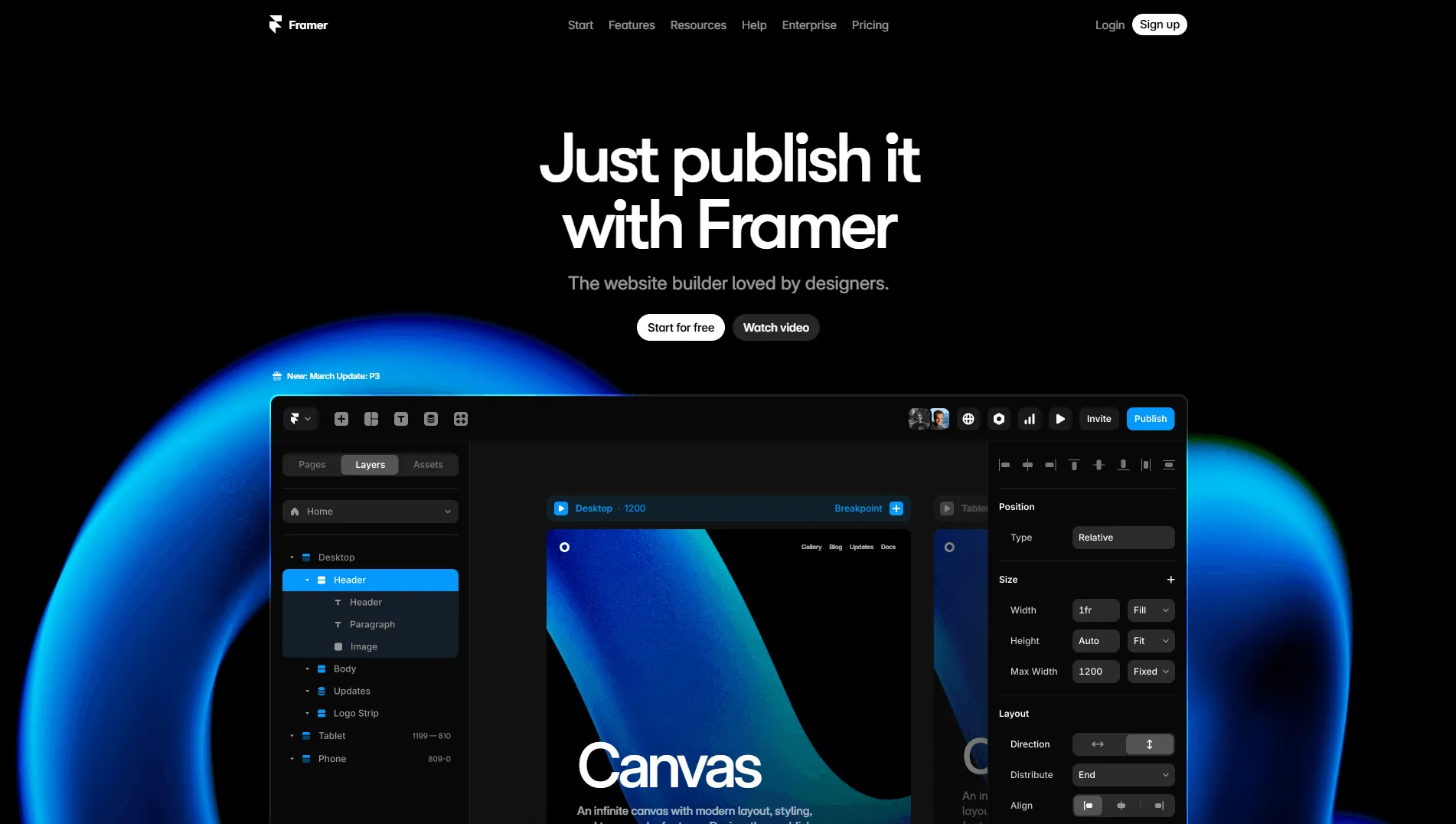
Still the fastest path from a design to a live site, and still the platform I’d pick for a beautiful marketing page on a deadline.
Framer 3.0 shipped on 16 June 2026 with Agents, Branching, and a rebuilt Community marketplace. On 9 July 2026 Framer added GPT-5.6 Sol, Terra and Luna, and on 21 July it made Terra the default agent model, stating it “uses 37.5% fewer credits than GPT-5.5.”
✅ Key Benefits
Real branching (a genuine gap in visual builders until now), agent-assisted building, and the best animation-per-effort ratio anywhere. Free tier gets 500 AI credits per month. Recurring, not a trial.
🚫 Drawbacks
There is still no code export and no self-hosting. I checked the entire feature comparison table: Custom domain, Limits, Site pages, CMS, Bandwidth, Hosting, Analytics, Seats, Add-ons, Locales, Convert, Advanced hosting. There is no export row of any kind. Your site lives on Framer’s CDN or it doesn’t exist.
The overage ladder is where the money is. Pro is $30/month billed yearly, then: pages $20 per additional 100 (max 700), CMS collections $40 per 10 (max 40), CMS items $20 per 10,000 (max 40,000), bandwidth $40 per 100 GB (max 2 TB), locales $20 each up to 20, Convert A/B testing $50 per 500,000 events, advanced hosting $200. Additional editors are $20/month each, and both Basic and Pro cap you at 10 seats.
🔑 Key Takeaway
Framer is a wonderful product with an ownership model I can’t recommend for anything load-bearing. If the site is your business, that trade is worse than it looks.
Pricing: Free $0, Basic $10/mo, Pro $30/mo. All billed yearly.
WordPress + Bricks
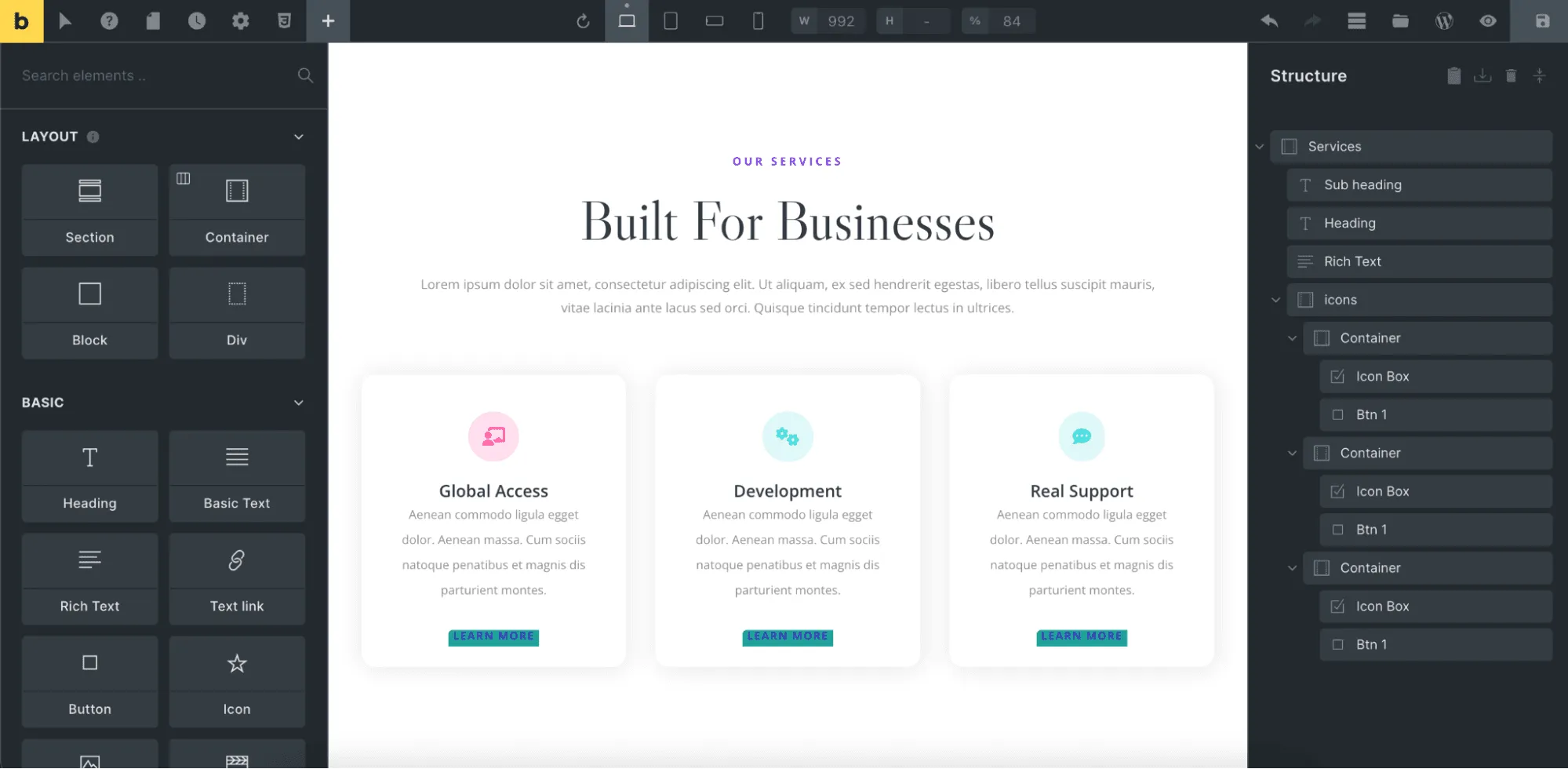
Still my answer for “I want to own this outright.”
The 2026 development is genuinely interesting: Bricks 2.4 (beta since 15 July 2026) ships “Bricks AI Abilities,” which exposes builder actions through the WordPress Abilities API and MCP, with Cursor, Claude Code and Copilot named as supported clients.
That means an AI agent can build inside your WordPress site directly: on infrastructure you own, in a database you control, under a licence nobody can revoke.
🚫 Drawbacks
2.4 is beta. Current stable is 2.3.9 (9 July 2026). Do not ship a client site on the beta because the AI feature looks exciting.
It’s still PHP, and it’s still WordPress. You inherit the plugin ecosystem’s security surface along with its power.
Learning curve. Bricks assumes you understand CSS layout concepts. That hasn’t changed.
🔑 Key Takeaway
Pricing is the best value in this entire guide: Starter $79/year (1 site), Business $149/year (3 sites), Agency $249/year (unlimited), Ultimate Lifetime $599 one-time (unlimited). Local and staging sites don’t consume activations. 60-day refund period.
Compare $249/year unlimited against Webflow’s $25/month per site and the maths gets uncomfortable fast.
Webstudio: the open-source pick
Last year this got a one-line mention as an alternative. It has earned a proper entry, and it is positioning itself directly at this moment: the homepage headline reads “Professional website builder for Agents and Humans” with an instruction to “Install Webstudio CLI and use MCP.”
AGPL-3.0, ~8,800 GitHub stars, commits landing today.
Pricing: Hobby free, and Hobby includes “Export Projects.” Pro $15/month billed yearly (100,000 page views), Team $35/month billed yearly (5 seats), overages $20 per additional 100,000 views.
Two honest caveats:
- It’s open core, not fully open source. The
sdk-components-animationpackage is published underLicenseRef-Webstudio,Inc-Proprietary. - The free tier has its own carve-out. Animations, CMS integrations, Resources, dynamic routing, CMS pages and CMS records are marked “Builder only” on Free: usable in the editor, not on a published site. Better than Webflow’s export restriction, but not unrestricted.
The rest of the website field, briefly
- Squarespace: Basic $25/mo or $228/yr, Core $39 or $348, Plus $65 or $588, Advanced $139 or $1,188. Transaction fees run 2% on Basic and 0% above; digital content and memberships are 7% / 5% / 1% / 0%. AI Credits: 10 one-time on Basic, then 20 / 40 / 120 per month. No free plan, 14-day trial, no meaningful code export. Small thing that bugs me: the page advertises “save up to 36%” on annual billing, but its own structured data gives actual discounts of 24% to 28.8%.
- Wix: Free $0, Light $17, Core $29, Business $39, Business Elite $159, all yearly and paid in full up front. Wix also owns Base44 now, which is the more interesting fact.
- Shopify. The notable 2026 move is an “Agentic” plan at $0/month: put your products in Shopify’s Catalog, choose which AI channels to sell in, and pay only when a sale happens. “Sell in AI chats” and “Agentic commerce” are included from Basic up. Third-party payment provider fees remain 2% / 1% / 0.6% / 0.2% by tier. The old $5 Starter plan is no longer listed.
- Netlify: on 14 April 2026 it killed seat pricing entirely. CEO Mathias Biilmann’s reasoning is the most clear-eyed sentence any vendor said this year: “Seat pricing made sense for us when software was written by a handful of developers. It makes far less sense when anyone, including any AI agent, can build software.” Free $0 = 300 credits, Personal $9 = 1,000, Pro from $20 = 3,000 with unlimited members. Credits price bandwidth at 20/GB, compute at 10/GB-hour, production deploys at 15 each, and AI inference at 180 credits per $1. Forms are free.
- Cloudflare Workers is the cheapest serious hosting on earth. Free tier does 100,000 requests/day. Paid starts at $5/month with 10M requests and 30M CPU-milliseconds included, then $0.30/million requests and $0.02/million CPU-ms. And, verbatim: “Requests to static assets are free and unlimited.”
- Vercel: Hobby free with 100GB/month transfer, Pro $20/user/month with 1TB then $0.15/GB. Viewer seats are free.
Category 4: Web Apps & Internal Tools

This is the category getting squeezed hardest: AI agents from above, templates from below. Several of these platforms responded well. A couple did not.
WeWeb, still my pick here
Last year I said WeWeb wins on SEO and code ownership. That’s still true, and it shipped the thing that was missing.
On 8 April 2026 WeWeb launched a native backend: “You can now build your database, APIs, authentication, storage, and backend logic directly inside the editor.” It’s no longer a front end looking for a backend. In June 2026 it added MCP support so your AI tool of choice can build directly in a WeWeb project.
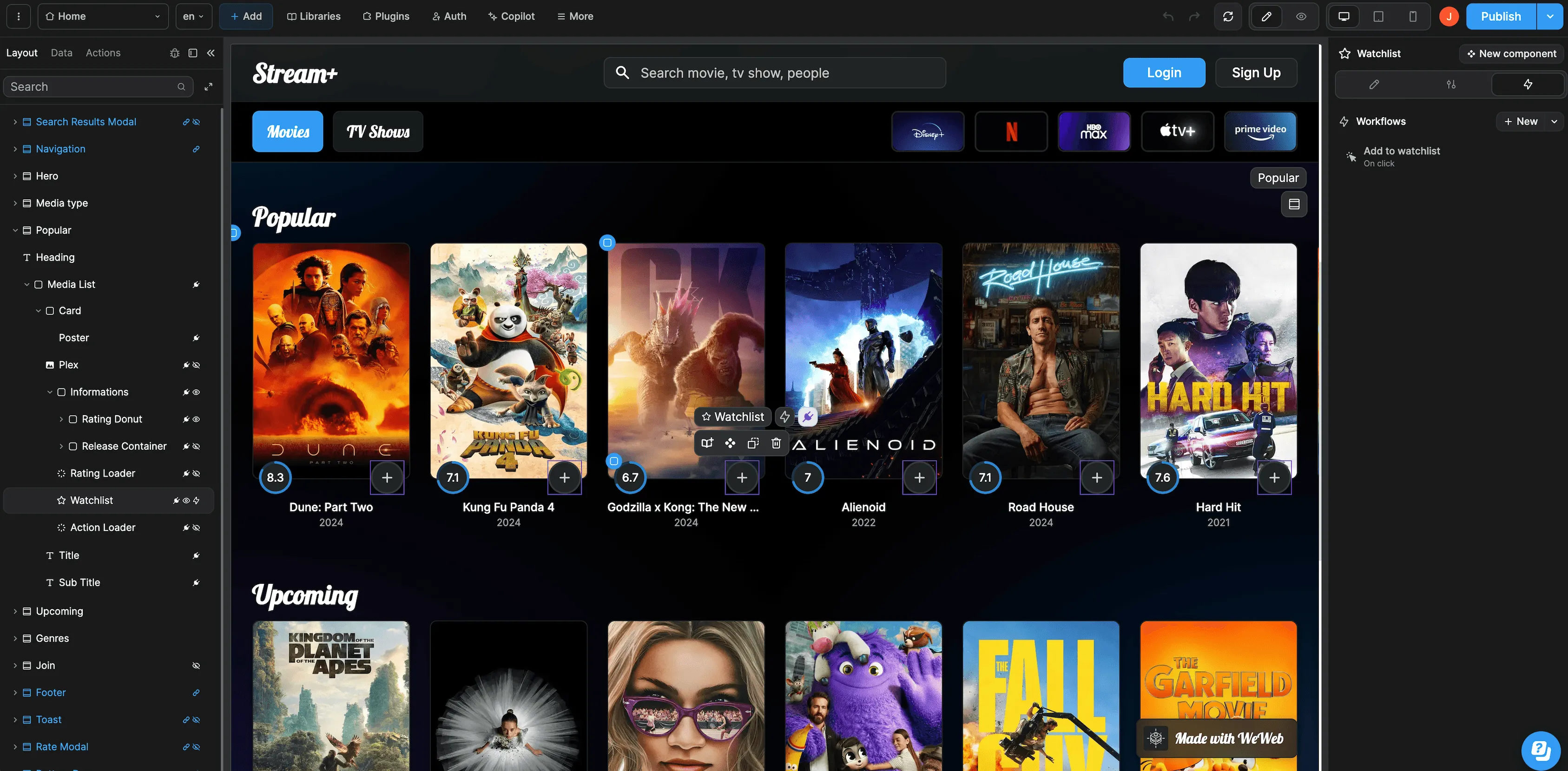
✅ Key Benefits
Code export and self-hosting from the $20/month Essential tier. Not Enterprise. Not “contact sales.” Twenty dollars.
Overages are published to the cent: bandwidth $0.25/GB, email $2.00 per 1,000, database storage $0.55/GB, compute $0.17 per CU-hour, requests $0.32 per million, file storage $0.03/GB. In a category that hides pricing behind sliders, this is unusual and good.
SSR and real SEO control, which remains the reason to pick WeWeb over Bubble for anything public-facing.
🚫 Drawbacks
Prices went up on 12 February 2026. WeWeb’s changelog announced it plainly at the time, though the old-versus-new comparison was published as an image, so I can’t give you the delta.
Two separate meters. Seat plans (Free / Essential $20 / Pro $50 per developer) and hosting plans (Free / Launch+ $13 / Grow+ $20 / Scale+ $66 / Scale+ Premium $208) are billed separately. Budget for both.
One caveat on all of the above: pricing.weweb.io is itself a WeWeb-built app that renders entirely client-side and serves no pricing text to anything but a browser. These figures are what the page showed in July 2026, after the February increase. Open it yourself before you commit.
Affiliate: 10% off all WeWeb payments for 12 months. As always, I’ve used this link for two years and it has never changed a single word of a review. If WeWeb got worse I’d say so here.
Nordcraft: formerly Toddle, and they finally did it
Last year I called Toddle out for announcing an open-source transition and not delivering.
They delivered. The repo is nordcraftengine/nordcraft, Apache-2.0, with six packages published: @nordcraft/core, /runtime, /ssr, /std-lib, /search, and css-parser. Actively maintained as of mid-July 2026.
The pricing is now the most builder-friendly in this section: Free $0, Pro from $9 per project per month, Self-Hosted $0 forever, and unlimited seats on every single tier. AI credit packs at $10 / $25 / $100 with free daily credits. Additional custom domains $5/month.
Current tagline is “The website builder for creative studios,” positioned as an AI agent plus a visual builder.
🚫 The caveat
The README is candid: “While we consume all packages internally in the Nordcraft framework, this project is currently in development and is not yet ready for other applications to consume.” And the self-hosting documentation is thin: docs.nordcraft.com/self-hosting serves a “Page not found,” with self-hosting mentioned only as a one-line feature bullet.
So: the licence is real, the code is real, and the self-hosting path is not yet documented well enough to bet a client project on. Credit for doing the thing. Verify before you rely on it.
Bubble
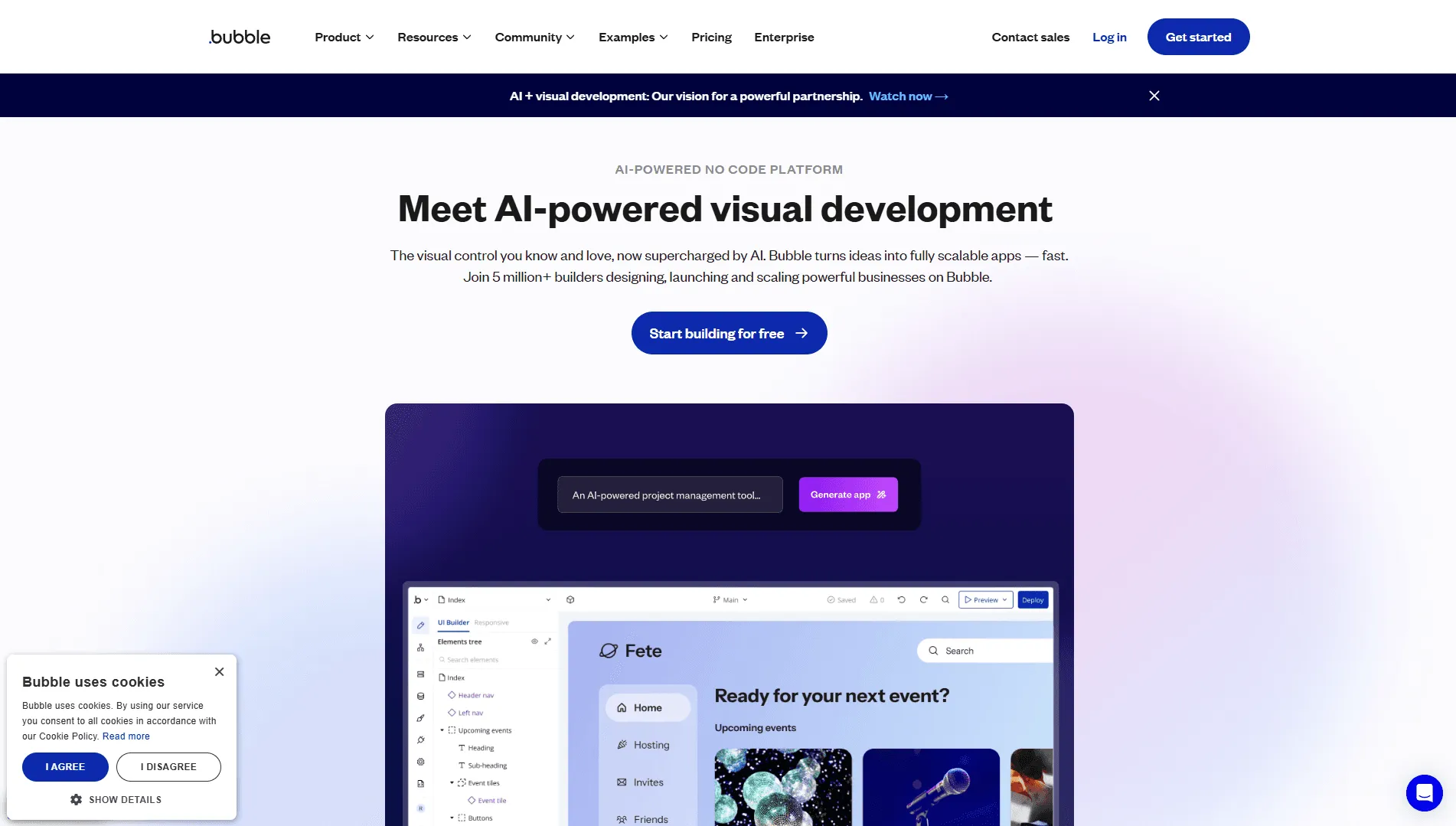
Bubble pioneered this category and has adapted more than I expected.
Its AI App Builder now generates, per Bubble’s own documentation, “a functional app structure, including pages, elements, and workflows,” a database schema, and pre-configured logic. It also added native iOS and Android app generation sharing one backend, a real answer to the “now what?” problem that used to send Bubble users to a second platform.
🚫 Drawbacks
Three plan types, and the gap between them is large. Bubble now sells Web only, Mobile only, and Web + Mobile as separate plans. Billed annually, per month: Starter $29 / $42 / $59. Growth $119 / $169 / $209. Team $349 / $449 / $549. Billed monthly: Starter $32 / $49 / $69, Growth $134 / $199 / $249, Team $399 / $529 / $649.
So the honest entry price depends entirely on whether you need mobile: $29/month if you don’t, $59 if you do.
Then everything meters in Workload Units, shared across web and mobile in a single project. Bubble publishes no per-plan WU allowance that I could find: the pricing page renders entirely client-side and serves no text, and the docs give plan prices without allowances. You will need a logged-in view to find out how much headroom you’re actually buying, which is not a great answer to “what will this cost me.”
I could find no code export or self-hosting option on any published plan. Enterprise advertises “choice of hosting location” and a “customizable server,” which is not the same thing. In 2026, when the competing option produces a git repository you own outright, this is the whole ballgame.
🔑 Key Takeaway
Still excellent for internal tools and MVPs with genuinely complex backend logic and a non-technical builder. Avoid it for anything SEO-critical, and go in knowing there is no exit.
The internal-tools shelf
- Retool: Free $0 (250 AI credits), Team $10/builder + $5/internal user (1,000 credits), Business $50/builder + $15/internal user (3,000), Enterprise (10,000). Those are annual-billing rates; monthly is meaningfully higher. External users are free up to 50, then $8 / $6 / $4 per user as you scale. Retool ships an official MCP server, documented for self-hosted instances on version 4.0.0 and later, with clients including Claude Code, Claude Desktop, ChatGPT, Codex, Cursor and Kiro. Agents get up to 20 agent-hours/month on every plan. But Retool publishes no hourly rate, only that it “varies by model.”
- Airtable: Free $0 (1,000 records/base, 500 AI credits/month per editor), Team $24/collaborator monthly or $20 annual (50,000 records, 15,000 credits), Business $54/$45 (125,000 records, 20,000 credits). Extra AI credit packs run from $20/month for 10,000 up to $800/month for 400,000. Airtable’s MCP server is GA on all plans at no extra charge with 30+ tools, which is the best MCP posture in this section. Omni, its conversational agent, builds apps and edits data from natural language across all plans.
- Softr: Free $0, Basic $49/mo, Professional $139/mo, Business $269/mo, with 10 / 20 / 100 / 500 app users respectively. AI credits are listed as 5 / 10 / 50 / 100 per month, and the page never says what one credit actually buys, only that consumption varies “depending on a variety of factors like AI model and output length.”
- Glide has moved decisively upmarket into internal business tooling. Free $0 (1 editor, 25,000 rows, unlimited drafts), Business from $199/month billed yearly. The page advertises 20% off annual but never renders the monthly rate, and its old Explorer and Maker on-ramp tiers still appear in the comparison table with no prices shown at all. Neither the homepage nor the pricing page mentions App Store or Play Store publishing anywhere.
- Budibase has genuinely useful bring-your-own-key support across seven providers (Budibase AI, OpenAI, Anthropic, Google, Mistral, OpenRouter, Groq). Two catches: self-hosting plus Budibase AI requires an Enterprise plan and an active licence key, and Budibase publishes no base plan prices on its own pricing page at all. Only the add-ons are priced ($5/end user/month, $50/creator/month, +20% for monthly billing).
- Appsmith: Free $0 up to 5 users, Business $15/user up to 99, Enterprise $2,500/month from 100 users, self-hosting on all three. Worth flagging honestly: there are no AI features and no AI pricing anywhere on the pricing page, and releases v1.98 through v2.2 (March to July 2026) are overwhelmingly dependency upgrades and CVE remediation. Solid, maintained, and not where the innovation is.
- Microsoft Power Apps / Copilot Studio: Premium $20/user/month yearly ($12 at a 2,000-seat minimum), Dataverse $40/GB/month. Copilot Studio prepays at $200 per pack of 25,000 Copilot Credits. Two facts to internalise: credits do not roll over month to month, and hitting 125% of your prepaid capacity disables your custom agents outright. The rate card charges 2 credits per generative answer, 5 per agent action, and 10 per tenant graph grounding message.
Category 5: Native Mobile Apps

Before any tool recommendation, the thing that actually stops people:
The App Store Reality Check
Apple: the Developer Program is $99/year ($299/year for Enterprise), and if you enrol through the Apple Developer app it’s an auto-renewing subscription. Since 28 April 2026, apps uploaded to App Store Connect must be built with Xcode 26 or later using an iOS 26 / iPadOS 26 / tvOS 26 / visionOS 26 / watchOS 26 SDK. Guideline 4.7 now covers mini apps, chatbots and plug-ins with obligations for content filtering, abuse reporting, in-app purchase compliance and age verification.
Google Play: US$25 one-time registration, and prepaid cards are not accepted. If you’re a new personal developer account created after 13 November 2023, you must run a closed test with at least 12 testers opted in for 14 continuous days before you can apply for production access. Google says that review “usually takes 7 days or less, but may occasionally take longer.”
No AI tool removes any of this. Budget three weeks between “my app works” and “my app is downloadable.”
FlutterFlow
Still the leader for visual native app building, and still the one with real code export.
Pricing: Free $0, Basic $39/mo, Growth $80/mo for the first seat plus $55 for the second, Business $150/mo plus $85 for seats 2–5. Roughly 25% off annual.
Export, per FlutterFlow’s pricing page: code download and APK download start at Basic ($39), push-to-GitHub and custom code expressions start at Growth ($80), CLI access is Business ($150) only. Worth noting FlutterFlow’s own docs plan-comparison page renders a different table. Cite the pricing page and verify before you buy on a specific tier.
The free tier is a demo, not a tier: 2 projects and 5 AI generation requests per lifetime. That’s FlutterFlow’s own word, not mine.
Underneath, Flutter itself is healthy. Flutter 3.44 shipped 20 May 2026 (stable patch 3.44.7 as of 10 July), and Google reports over 1.5 million monthly developers (up 50% year over year) with 1.3 billion package downloads in 30 days. Those are Google’s numbers, but the release cadence backs them up.
Rork: read the tier limits before you subscribe
Prompt-to-mobile-app, and the most misleading pricing structure in this guide if you don’t look closely.
- Free ($0): 35 credits/month in the US, UK, Canada, EU, Japan, Korea and Australia; 5 elsewhere; 5/day cap. Free builds web apps only. You cannot make a mobile app on it.
- Pro ($20 for 100 credits, or $100 for 500): native Android (Kotlin + Compose), Expo/React Native, and web.
- Max ($200 for 1,000 credits, up to $1,800 for 10,000): native iPhone SwiftUI, iPad, Apple Watch, Vision Pro, native games and iOS widgets.
So native iOS starts at $200/month. That is not how the marketing reads.
Export is paid-only via GitHub with two-way sync: “paid users own all generated code.” And Rork’s own docs are refreshingly honest that “Google Play publishing is manual. Export your app via GitHub, then use Expo Application Services (EAS) to build and submit.”
The rest of the mobile shelf
- Draftbit has the best-value export story here. Standard at $12/month includes full code editing and export plus “Open in VS Code, Cursor & Windsurf.” Pro at $24 adds GitHub export and larger sandboxes. Free $0 gets 5,000 credits, 3 projects and a draftbit.dev URL. Repositioned around AI agents, bring-your-own Claude and OpenAI accounts, and 100+ integrations and MCPs.
- Dreamflow: Free $0 (10 credits), Hobby $20 (100), Pro $90 (500). One-click code export starts at Pro; the free tier is web deployment only.
- Adalo: Free $0, Starter $36, Professional $52, Team $160, 20% off annual. Its AI assistant “Ada” is included on every plan with no additional token or usage charges, which makes Adalo the quiet contrarian in a category obsessed with metered credits. The trade: no source export at all. Total lock-in, in exchange for genuine App Store and Play Store publishing.
- Expo / EAS is not a no-code tool, but if your agent generates React Native this is where the builds happen. Free $0 (15 Android + 15 iOS builds, 1,000 Update MAU), Starter $19/mo plus usage ($45 build credit), Production $199/mo plus usage ($225 credit, 50,000 MAU). Extra build concurrency is $50. The cleanest, most honest pricing page in this entire guide.
Category 6: The Backend Layer
Every tool above eventually needs somewhere to put the data. This layer decides whether your app is secure, and it is where non-developers get hurt.
Supabase
The default, and deservedly so. Postgres, so your data is portable by definition: pg_dump and you’re out.
Supabase raised a $500M Series F at a $10 billion pre-money valuation on 4 June 2026, led by GIC, with Stripe investing for a second time. In the same post Supabase says it has nearly 10 million developers and database launches up 600% year over year. Then the line that explains this entire article: “More than 60% of new databases are launched by some sort of AI tool.”
Pricing: Free (500 MB database, 5 GB egress, 50,000 MAU, 1 GB file storage, 2 active projects, paused after 1 week of inactivity). Pro $25/month with 100,000 MAU then $0.00325 each, 8 GB disk then $0.125/GB, 250 GB egress then $0.09/GB, 100 GB storage then $0.0213/GB, $10/month in compute credits, 7-day backups, and spend caps on by default, a genuinely good default. Team is $599/month with identical quotas, so it’s a governance cliff, not a capacity step.
Two operational notes: Supabase is migrating from JWT anon/service_role keys to sb_publishable_* and sb_secret_*, with legacy keys deprecated by the end of 2026. And its hosted MCP server at mcp.supabase.com/mcp now uses OAuth by default.
On which, read this twice. From Supabase’s own MCP docs:
Remember to never connect the MCP server to production data. Supabase MCP is only designed for development and testing purposes.
And from its defense-in-depth post: “guardrails alone aren’t enough” and “Never connect AI agents directly to production data.” To Supabase’s credit, the same post states there has been no reported incident of a customer suffering a data leak via MCP.
Convex: the best MCP safety design I’ve seen
Free tier gives 1M function calls, 0.5 GB database, 1 GB file storage and 1 GB egress, with published overages ($2.20 per additional 1M calls, $0.22/GB database storage). Professional is $25 per developer/month for 1–20 developers with 25M function calls. Business and Enterprise carry a $2,500/month minimum and start at 50 developers, which is a hard stop for small teams.
But look at how Convex handles agent access. Its MCP server:
- Disables production deployment access entirely unless you pass
--dangerously-enable-production-deployments - Defaults production to read-only, non-PII operations
- Requires a separate
--cautiously-allow-production-piiflag for anything sensitive
Someone at Convex thought hard about what happens when a confused agent meets a production database. In a year where the alternative advice is “never point it at production at all,” that’s the design I’d want.
Neon
Serverless Postgres, acquired by Databricks in May 2025 (terms undisclosed; press reported roughly $1B, which Databricks has never confirmed).
The good, and it’s genuinely good: Neon deleted its monthly minimums. Paid plans are now purely usage-based: “Pay only for what you use on paid plans; no monthly minimum.” Launch bills at $0.106/CU-hour, Scale at $0.222/CU-hour, storage at $0.35/GB-month.
The bad: the regional footprint narrowed to AWS-only, with Azure regions deprecated and closed to new projects. And from Neon’s own docs: “Projects on the Free plan that have been inactive for 90 days or more are subject to deletion as of October 5, 2026.”
If you have a dormant Neon project you care about, that’s a date for your calendar.
The rest of the backend shelf
- Xano: Free $0 (100K records, 1 GB database, 1 workspace), then nothing at all until Essential at $85/month billed annually, and Pro at $224. That gap is the story. Xano did ship well in 2026 though: v2.03 (20 April) brought Xano Agent, CLI general availability, a Developer MCP server, and XanoScript out of beta; v2.5 (8 July) added Knowledge for Agents with AGENTS.md, Docs and Skills governed by RBAC.
- Firebase: the Spark free tier is still generous (Firestore 1 GiB, 50K reads/day, Auth 50K MAU). On Blaze, watch App Hosting: since 1 August 2025 it charges $0.20/GiB uncached and $0.15/GiB cached. Charging for cached bandwidth is a choice. Firebase SQL Connect gets a 3-month no-cost trial then starts around $9.37/month. And remember Dynamic Links began erroring out on 25 August 2025. If you have old
page.linkURLs in print, they’re dead. - PocketBase: free, open source, no hosted offering, no vendor, no plans. Still on 0.x (v0.39.9), still no 1.0, though the project makes no explicit stability disclaimer either way. For a small internal tool on a cheap VPS it remains excellent.
- Turso: Free (100 databases, 5 GB, 500M rows read/month), Developer $4.99/month, Scaler $24.92, Pro $416.58. Those are the monthly rates. Ships a built-in MCP server as a local flag:
tursodb your_database.db --mcp. Note the mixed messaging: the marketing site labels the new Rust engine Beta while the GitHub README says it already “powers production applications today at multiple organizations.” - Nhost: Starter $0 (paused after 1 week), Pro from $25/month, Team from $599. Alive and shipping, status page all green as of late July 2026.
Category 7: AI Models
This section didn’t exist last year. It has to now, because the model choice inside your builder determines what it can actually do. And half these platforms are just reselling someone else’s model to you at a markup.
All prices below are per million tokens, input / output, taken from each vendor’s own pricing page in July 2026.
Anthropic (Claude)
- Claude Opus 5 (
claude-opus-5): released 24 July 2026, one day before I published this. 1M context, 128K max output, $5 / $25. - Claude Fable 5: $10 / $50. Anthropic’s most capable widely-released model. Claude Mythos 5 sits alongside it at the same price with limited availability.
- Claude Sonnet 5: $2 / $10 through 31 August 2026, then $3 / $15. That’s a published, dated 50% list price increase landing on 1 September. Plan accordingly.
- Claude Haiku 4.5: $1 / $5.
Three things nobody mentions that materially affect your bill:
1. The 1M context window is standard-priced. Per Anthropic’s docs, “a 900k-token request is billed at the same per-token rate as a 9k-token request.” No long-context premium. Google and xAI both still charge one.
2. Claude 4.7 and later use a new tokenizer that “produces approximately 30% more tokens for the same text.” Anthropic attributes this to improved performance and notes the increase is workload-dependent. That’s their framing and it may well be right. But it means any per-token price comparison between a 4.7+ Claude model and anything else, including older Claude models, understates the newer model’s cost.
3. Batch processing is exactly 50% off. Opus 5 drops to $2.50 / $12.50. If your workload tolerates latency, that’s the single easiest saving available anywhere in this article.
The Export Control Story Everyone Should Read
On 12 June 2026, three days after Fable 5 became generally available, the US government applied export controls to Claude Fable 5 and Claude Mythos 5. Because compliance required restricting access to foreign nationals, Anthropic suspended access for all users immediately. The controls were lifted on 30 June and availability was restored on 1 July.
A frontier model was switched off worldwide, by government order, for roughly nineteen days.
I don’t raise this to criticise Anthropic: their disclosure was prompt and clear, and they had no real choice. I raise it because if your product depends on exactly one model from exactly one vendor, you now have a documented, real-world example of that model becoming unavailable overnight for reasons entirely outside your control and your vendor’s.
Build a fallback. Anthropic even ships one: a server-side fallbacks parameter, plus “fallback credit” that refunds the prompt-cache cost of switching models.
Two related facts for business buyers: Fable 5 ships safety classifiers that can decline a request outright (returning stop_reason: "refusal" as a successful HTTP 200, which your code must handle), and both Fable 5 and Mythos 5 carry mandatory 30-day data retention and cannot be used under zero data retention. Anthropic’s most capable tier is also its least private one.
OpenAI
GPT-5.6 Sol, Terra and Luna launched 9 July 2026 with a 1,050,000-token context window and 128K max output:
- Sol: $5.00 / $30.00 ($0.50 cached)
- Terra: $2.50 / $15.00 ($0.25 cached)
- Luna: $1.00 / $6.00 ($0.10 cached)
Also live: gpt-5.5-pro and gpt-5.4-pro at $30 / $180, and gpt-5.4-nano at $0.20 / $1.25 for high-volume grunt work.
Two operational notes: regional processing (data residency) endpoints carry a 10% uplift on models released after 5 March 2026, and OpenAI shipped hard spend limits on 22 July 2026, monthly caps that return a 429 once you hit them. Turn those on.
Google (Gemini)
- Gemini 3.6 Flash: $1.50 / $7.50
- Gemini 3.5 Flash: $1.50 / $9.00
- Gemini 3.5 Flash-Lite: $0.30 / $2.50
- Gemini 3.1 Pro (Preview): $2.00 / $12.00 up to 200k prompt tokens, $4.00 / $18.00 above
Notice something? Google’s shipping flagship is a Flash model. The newest Pro-tier model on its own models list is still labelled Preview. Whatever the reason, if you’re picking a model for coding today, Google is not where the frontier is.
Every Gemini model now has four price tiers: Batch and Flex at 50% of standard, Priority at 1.8x. Watch the cache storage cliff: $1.00/hour on Flash models versus $4.50/hour on Pro-tier models. And note that gemini-2.0-flash and gemini-2.0-flash-lite aren’t deprecated, they’re retired. They shut down on 1 June 2026. Google also publishes no context-window figures on its models page at all, which is a transparency gap the other four vendors don’t have.
xAI (Grok)
Grok 4.5 is $2.00 / $6.00 below 200K tokens and $4.00 / $12.00 at or above. Read this mechanic carefully, because it’s the nastiest billing rule in this section:
Requests whose prompt reaches the listed token threshold are billed at the higher rate for all tokens in the request.
A 201,000-token prompt doubles the price of every output token too. Grok 4.5 also has a 500,000-token context window, smaller than xAI’s own older grok-4.3 and grok-4.20 models, which are 1M. Knowledge cutoff is 1 February 2026.
The Open-Weight Field
This is where 2026 got genuinely interesting for anyone who cares about cost or data residency.
DeepSeek V4 is the price floor and it isn’t close. V4-Pro runs $0.435 cache-miss input / $0.87 output; V4-Flash is $0.14 / $0.28. Both carry 1M context and up to 384K output tokens. V4-Pro is MIT licensed, the most permissive licence of any serious model. It runs 1.6 trillion total parameters with 49 billion active.
Do the maths: DeepSeek V4-Pro is roughly 11x cheaper on input and 28x cheaper on output than Claude Opus 5. Whether it’s 11x worse for your task is the actual question, and for a lot of routine work the answer is no.
Qwen3.5-397B-A17B (Alibaba, February 2026): Apache 2.0, 397B total / 17B active, 262,144 native context extensible to about 1,010,000 via YaRN, 201 languages, and a self-reported 76.4 on SWE-bench Verified. The most usable genuinely-permissive licence in the open field.
Kimi K3 (Moonshot): 2.8 trillion parameters with native visual understanding per Moonshot’s own model list, 1,048,576 context, priced at $0.30 cached / $3.00 cache-miss input / $15.00 output. Note that at $3 input, Kimi is no longer the budget option it was in the K2 era; it’s 6x DeepSeek V4-Pro’s input price.
Two licensing traps worth knowing before you build a business on “open” weights:
- MiniMax M3 (~428B total / ~23B active, 1M context) is published under the MiniMax Community License, which is not permissive. Commercial use requires prominent “Built with MiniMax M3” attribution plus a one-time notice to MiniMax, and separate prior written authorisation once your product clears $20 million in yearly revenue. There’s also a prohibited-uses appendix. Fine for most small businesses; downloadable is still not the same as MIT.
- Mistral contradicts itself on its own site. mistral.ai/pricing states open-weight models are “Apache 2.0 licensed for research/individual use; while commercial deployments require a Mistral license with separate terms.” That is not a coherent description of Apache 2.0, which grants commercial rights unconditionally. Meanwhile the API page describes Mistral Small 4 as “SOTA. Multimodal. Multilingual. Apache 2.0.” Check the specific model’s LICENSE file before you ship. (Pricing, for reference: Mistral Large 3 $0.50 / $1.50, Medium 3.5 $1.50 / $7.50, Small 4 $0.15 / $0.60.)
And Meta: the newest model family on huggingface.co/meta-llama is still Llama 4: Scout and Maverick, both last updated 22 May 2025. Older repos have had housekeeping updates since, but no new generation has landed. The company that made open weights mainstream has not shipped a new open model family to its own hub in over a year. Llama weights also remain under the Llama Community License with an acceptable-use policy. Source-available, not Apache or MIT.
Put Those Prices Next To Each Other
Vendors publish input and output rates side by side, which makes them look comparable. They aren’t. Agents read a little and write a lot, so output price is what actually lands on your bill. Sorted by that number, the field looks like this:
- Closed weights
- Open weights
Per million output tokens, from each vendor's own pricing page in July 2026. Sonnet 5 is on introductory pricing and rises to $15.00 on 1 September 2026. Grok 4.5 doubles to $12.00 once a prompt reaches 200K tokens. Reasoning-tier models such as gpt-5.5-pro at $180.00 are left off so the rest of the field stays readable.
Those last three bars are the ones worth sitting with. DeepSeek V4-Flash is not a rounding error away from Claude Opus 5. It is roughly ninety times cheaper. Whether it’s ninety times worse at your particular task is the only question that matters, and for classification, extraction and routing the answer is plainly no.
What I’d Actually Tell A Small Business
- Default to Claude Sonnet 5 or GPT-5.6 Terra for general work. Both are competent, both are cheap enough not to think about, and Sonnet 5 is on introductory pricing until 31 August.
- Reach for Opus 5 or Sol only for hard reasoning. Most tasks don’t need the frontier tier, and the frontier tier costs 5x.
- Use Haiku 4.5, Luna, Flash-Lite or DeepSeek V4-Flash for volume. Classification, extraction, routing, summarisation. This is where cost actually accumulates.
- Turn on batch processing for anything that doesn’t need an instant answer. 50% off at Anthropic, 50% off at Google.
- Don’t plan to self-host a frontier open-weight model. A 1.6-trillion-parameter model with 49 billion active needs multiple datacentre-class GPUs. Rent the API. The economics only flip at volumes small businesses don’t have.
- Do keep a second vendor wired up. See the nineteen days above.
Category 8: Automation
If you read my AI consulting process, you know my position: self-hosted n8n paired with a cheap model does most of what businesses actually need. That’s still true. Here’s what changed.
n8n
Cloud pricing is in euros: Starter €20/mo (2,500 executions, 5 concurrent, 2,300 AI credits), Pro €50/mo (10,000 executions, 20 concurrent, up to 13,700 AI credits), Business €667/mo (40,000 executions, self-hosted). There’s a Startup plan at 50% off Business for companies under 20 employees.
Self-hosting is still free, and it’s still what I’d do.
One thing worth correcting, because it gets repeated everywhere: n8n is not open source, strictly speaking. The licence is the Sustainable Use License, which is source-available, not OSI-approved. The operative restriction: “You may use or modify the software only for your own internal business purposes or for non-commercial or personal use.”
For a business self-hosting n8n to run its own operations, that’s completely fine. If you were planning to resell n8n-as-a-service, it isn’t. Worth knowing which one you are.
The 2026 addition that matters: n8n now has a built-in MCP server. You describe the workflow you want in Claude, ChatGPT or a coding agent, and it connects to your n8n instance to build and run it. Workflow editing landed in n8n 2.13 onward.
Zapier
Free $0 (100 tasks/month, 1 seat). Professional starts at $19.99/month annual for 750 tasks, climbing to $89 for 5,000. Monthly billing is $29.99 to $133.50 for the same rungs. Team is $69/month annual for 2,000 tasks with 25 seats. Overage runs 2.5x base on monthly plans and 1.25x on annual.
The AI billing is where it gets interesting. Zapier applies model-tier multipliers: Standard 1x (the default), Advanced 3x, Premium 5x, and Zapier MCP tool calls 2x. Importantly, “the multiplier only kicks in at run time”, so you can build with AI steps without burning tasks. Zapier Agents get 400 activities/month free and 1,500 on Pro.
Make
Free $0 with 1,000 credits, but capped at 2 active scenarios and a 15-minute minimum interval between runs, which makes it a demo rather than a free tier. Core from $9/mo, Pro from $16/mo, Teams from $29/mo, 15%+ off annual.
Read those prices carefully: they are entry points for the smallest credit bundle (10k credits), not flat plan prices. The slider runs to 8M+ credits. “$16 for Pro” is meaningless without the credit number attached. Make replaced “operations” with “credits” as its billing unit: for standard apps, 1 operation still equals 1 credit, and each module action counts as one.
Make AI Agents shipped across all plans and are still labelled beta. You can use Make’s AI provider or bring your own LLM key.
Activepieces: the pricing model I wish everyone used
10 active flows free, then $5 per active flow per month, with unlimited runs. Unlimited MCP servers, AI agents and tables included.
Think about what that incentivises. Every other platform in this section makes more money the more your automation executes. Activepieces makes more money the more distinct automations you build. That means a high-volume workflow costs the same as a low-volume one, and you’re never punished for success.
Licence honesty: it’s MIT, with a real carve-out. Everything under packages/ee/ and packages/server/api/src/app/ee is under a separate licence. Don’t call it plain MIT.
Also in this category
- Windmill: free self-hosted tier with unlimited executions, up to 50 users, 3 workspaces, 30-day job retention. Enterprise from $120/month, assembled from components: developer seats $20, operator seats $10, workers $50 each. Best free self-hosted execution limits here.
- Gumloop: Pro $37/month with 20,000+ credits and unlimited seats, which is a real differentiator. Enterprise custom, 20% off annual, bring-your-own-keys on both tiers. There is no free plan (only a 14-day Pro trial), and Gumloop publishes no per-node credit table, so you can’t forecast burn before you build.
- Pipedream: the pricing page is JavaScript-rendered and returns nothing to a fetcher, so check it live. The mechanic is the useful part: 1 credit = 30 seconds of compute at 256MB, and doubling the memory doubles the credit cost for the same runtime. That’s the cost trap most people miss.
- Lindy has pivoted away from agent-building toward being a personal AI assistant for email, meetings and notes. Plus $49.99, Pro $99.99 (“3x more usage than Plus”), Max $199.99 (“7x”). No free plan, 7-day trial, and usage published only as multiples of Plus with no absolute numbers. It’s now competing with personal-assistant subscriptions, not with n8n.
- LangSmith: Developer free (5,000 base traces/month, 1 seat, 14-day retention), Plus $39/seat (10,000 base traces, unlimited seats, 14-day base retention with 180-day extended at extra cost). Overage bills in LangChain Compute Units at $1.50 and Storage Units at $1.00. LangChain itself is MIT.
- CrewAI: Basic free with 50 workflow executions/month; Enterprise is custom with no published price at all, which is the review.
⚠️ Relay.app Is Shutting Down. Act Now
If you use Relay.app, this is the most time-sensitive item in this entire guide.
New signups and free-to-paid upgrades were switched off on 16 July 2026. Free accounts and all associated data will be permanently deleted after 23:59 PT on 15 August 2026. Paying customers keep access through 23:59 PT on 14 September 2026. Annual customers get a prorated refund for the unused remainder, initiated automatically. Relay says you should receive it within five business days.
No acquirer was named and no reason was given. Export your workflows now.
On MCP
MCP went from novelty to table stakes in about eighteen months. Across this entire guide, first-party MCP support is now confirmed at Webflow, Bricks (in 2.4 beta), Webstudio, WeWeb, Airtable, Retool, Copilot Studio, n8n, Supabase, Convex, Turso, Xano, Activepieces and Gumloop.
Which makes the holdouts conspicuous. I found no documented first-party MCP server for Bubble, Softr, Glide or Noloco.
If your platform can’t talk to your coding agent in 2026, that’s a strategic position, not an oversight.
The Part Nobody Puts In These Roundups
You’re going to build something. It’s going to have a database. Here is how people are getting hurt.
The Moltbook Breach Is The Whole Lesson In One Story
On 2 February 2026, Wiz published its analysis of the Moltbook breach.
The root cause was a hardcoded Supabase key sitting in client-side JavaScript with no Row Level Security. Anyone who opened developer tools had full database access.
Exposed: 1.5 million API authentication tokens, 35,000 user emails from the owners table plus another 29,631 from an early-access table, and 4,060 private agent-to-agent conversations (some containing plaintext OpenAI API keys shared between agents). Roughly 4.75 million records total.
Wiz’s disclosure timeline is genuinely impressive on the response side: initial contact at 21:48 UTC on 31 January, RLS misconfiguration reported at 22:06, all vulnerabilities patched by 01:00 UTC on 1 February. About three hours. No evidence of malicious exploitation.
The founder’s own quote, in the Wiz writeup:
I didn’t write a single line of code for @moltbook. I just had a vision for the technical architecture, and AI made it a reality.
That is not a gotcha. It is the exact promise every tool in this article makes, and it worked: the product existed, it had users, it had traction. The part the AI didn’t do was the part that mattered.
And The Category-Level Numbers
GitGuardian’s State of Secrets Sprawl 2026 found 28,649,024 new secrets leaked into public GitHub during 2025, up 34% year over year and 152% since 2021. GitGuardian’s own framing of what that means: secrets are leaking 1.6x faster than the developer population is growing.
Commits co-authored by Claude Code leak secrets at roughly 2x the baseline rate. That’s not a knock on Claude Code specifically; it’s what happens when code volume goes up and review effort doesn’t. GitGuardian also found 24,008 unique secrets sitting in MCP configuration files, 14% of them PostgreSQL connection strings, and that 64% of secrets leaked in 2022 are still valid today.
There is also a formally recorded CVE here. CVE-2025-48757 (CVSS 9.3, critical) describes “an insufficient database Row-Level Security policy in Lovable through 2025-04-15” allowing unauthenticated attackers to read or write arbitrary database tables of generated sites. In fairness, and this matters: the supplier disputes it, arguing that “each individual customer of the Lovable platform accepts a responsibility over protecting the data of their application.”
You can decide for yourself whether that’s a reasonable position. What isn’t in dispute is who carries the consequence.
The Five-Minute Checklist
Everything In This Guide, On One Screen
That’s eleven thousand words. Here is the whole field in one table, so you can stop reading and start choosing.
| Tool | Category | Starts at | Code you can take with you |
|---|---|---|---|
| Claude Code | Coding agent | $20/mo | Yes, it is already your repo |
| OpenAI Codex | Coding agent | $8/mo | Yes, it is already your repo |
| Cursor | Coding agent | $20/mo | Yes, it is already your repo |
| Google Antigravity | Coding agent | Free | Yes, it is already your repo |
| Devin | Coding agent | $20/mo | Yes, it is already your repo |
| OpenCode | Coding agent | Free | Yes, and the tool is MIT too |
| GitHub Copilot | Coding agent | $10/user | Yes, it is already your repo |
| Lovable | Prompt-to-app | $25/mo | Partial, via GitHub sync |
| v0 | Prompt-to-app | $30/user | Yes, GitHub sync even on free |
| Bolt.new | Prompt-to-app | $25/mo | Partial, StackBlitz export regressed |
| Replit | Prompt-to-app | $20/mo | Yes, a real filesystem and git |
| Base44 | Prompt-to-app | $16/mo | Partial, GitHub starts at $40/mo |
| Emergent | Prompt-to-app | $20/mo | Yes, GitHub from the $20 tier |
| Figma Make | Prompt-to-app | $16/seat | Partial, one-way push only |
| Webflow | Website | $15/mo | Partial, CMS content excluded |
| Framer | Website | $10/mo | No export of any kind |
| WordPress + Bricks | Website | $79/yr | Yes, you host the whole thing |
| Webstudio | Website | Free | Yes, export on the free tier |
| Squarespace | Website | $25/mo | No, code injection only |
| WeWeb | Web app | $20/mo | Yes, export and self-host from $20 |
| Nordcraft | Web app | $9/project | Yes, Apache-2.0 and self-hostable |
| Bubble | Web app | $29/mo | No export, no self-hosting |
| Retool | Internal tools | $10/builder | Partial, self-hosting available |
| Airtable | Internal tools | $20/seat | No, though data exports cleanly |
| Appsmith | Internal tools | $15/user | Yes, self-host on every plan |
| FlutterFlow | Mobile | $39/mo | Yes, code download from $39 |
| Draftbit | Mobile | $12/mo | Yes, full editing and export from $12 |
| Rork | Mobile | $20/mo | Partial, paid tiers only, via GitHub |
| Adalo | Mobile | $36/mo | No source export at all |
| Supabase | Backend | $25/mo | Yes, it is ordinary Postgres |
| Neon | Backend | Usage only | Yes, it is ordinary Postgres |
| Convex | Backend | $25/dev | Partial, data travels, platform does not |
| PocketBase | Backend | Free | Yes, open source, you host it |
| Xano | Backend | $85/mo | Partial, and nothing below $85/mo |
| n8n | Automation | Free self-host | Yes, source-available, not OSI |
| Activepieces | Automation | Free, 10 flows | Yes, MIT with an enterprise carve-out |
| Windmill | Automation | Free self-host | Yes, open source |
| Gumloop | Automation | $37/mo | No, hosted only |
| Zapier | Automation | $19.99/mo | No, hosted only |
| Make | Automation | $9/mo | No, hosted only |
Nothing in that category.
Entry paid tier from each vendor's own page in July 2026, annual billing where that is the advertised rate. This category reprices constantly, so check before you buy.
What I’d Actually Build With In 2026
Cutting through all of it, here’s what I’d pick.
A marketing site or portfolio
WordPress + Bricks if you want to own it forever ($249/year unlimited sites is unbeatable). Framer if design speed matters more than ownership. Webflow if you need CMS depth and can live inside the $25-to-$2,500 gap. Webstudio if open source matters and you can work around the free-tier carve-outs. Host on Cloudflare Workers or Netlify.
An MVP you want in front of users this week
Lovable or Replit. Push to GitHub on day one, not day thirty. Then point Claude Code or Codex at the repo for everything after the first draft.
A real web app you intend to run for years
WeWeb + Supabase. Code export and self-hosting from $20/month, published overage rates, SSR for SEO, and Postgres underneath so your data is portable by definition.
An internal tool
Retool or Airtable, both for the same reason: first-class MCP support means your agent can build and maintain it. Appsmith if it must be self-hosted.
A mobile app
FlutterFlow if you want visual control and real code export. Draftbit at $12/month if export is the priority and budget is tight. Rork only if you’ve read the tier limits and understand native iOS starts at $200/month. Budget three weeks for the app stores regardless.
Automation
Self-hosted n8n, or Activepieces if you want unlimited runs and honest per-flow pricing. Zapier only if you need its integration catalogue specifically.
And underneath all of it
Claude Sonnet 5 or GPT-5.6 Terra as your default. Haiku 4.5, Luna or DeepSeek V4-Flash for volume. A second vendor wired up and tested.
The Thing I Actually Want You To Take Away
Last year the question was “which no-code tool should I use?”
This year the question is “how much of this do I want to own?”
Every tool in this guide sits somewhere on that line. Framer and Adalo sit at one end: beautiful products, zero portability. Claude Code and Bricks and Webstudio sit at the other: more work, everything yours. Most sit in between, and several of them changed position this year in ways their marketing didn’t mention.
The market is going to keep telling you the answer is to build faster. It isn’t wrong. Building faster while owning nothing, understanding nothing, and having no way out is just a more efficient way to end up somewhere you didn’t choose.
Ship the thing. Use the agent. Take the shortcut.
Just know where your code lives, who can revoke it, what it costs when it works, and whether the database is open to the internet.
That’s the whole job now.
If you want help figuring out which of these fits your business, or you’ve built something with one of them and want a second pair of eyes on it before it goes live, that’s what I do. You might also want my guide to AI agents, or the less comfortable piece about what all this means for jobs.
Every price and fact in this guide was verified against the vendor’s own documentation in July 2026. This category moves weekly. Check before you buy.
Keep reading
Related posts
Three more worth reading, if this one landed

The AI Model Tier List, October 2026
The best model on this list got cheaper when it got better, and last month's number one fell to C. Nineteen AI models ranked on what they are actually worth, with the blended price and an independent score on every row so you can argue with the placement.

AI Watermarks Are Here. The Danger Is They're Not That Good.
Since August 2, 2026, Claude marks everything it writes. Most of the worry is about being caught. The real problem is that the mark cannot prove what people are about to use it to prove.

How to Get Cited by AI Search. And What a Citation Is Actually Worth.
An AI can cite your website, answer your customer's entire question, and send you absolutely nobody. Getting into the answer matters. What happens after that is the part your dashboard needs to explain.